Business owners
Got a website from a designer or a template? Change texts, prices and photos yourself, without calling for help.
Connect your HTML website to WordPress with the Sitedrop plugin, whether it was made by AI or by a developer. Edit it visually, dead simple: click and change, and the built-in AI helps when you want it.
No account needed. Try it on your own website or on the demo.
100100/100 on Google PageSpeed for my client Alicia’s website.
It’s an HTML website connected to WordPress with Sitedrop.
Works with HTML from any source
Who it’s for
Got a website from a designer or a template? Change texts, prices and photos yourself, without calling for help.
Don’t know code? You don’t need to. You change everything by clicking and dragging, like in a regular editor.
Got a website from ChatGPT, Claude or Gemini? Put it on WordPress or regular hosting and change it yourself, no prompts.
Hand over a website your client can update, while the design stays exactly as you made it.
Two ways
One editor, two ways to run it. Pick what suits the website and the client.
When the client already uses WordPress or you need its plugins.
For: HTML websites (e.g. made with AI or by a designer) that should run on WordPress and use its plugins. Sites built with Elementor or blocks stay in their own editors.
When the website should stay simple, fast and free of WordPress.
edit/ folder next to your websiteFor: small business sites, landing pages and AI-made sites on regular hosting.
How it works
No rebuilding in widgets and blocks. Your HTML stays your HTML.
Drop in a ZIP with your pages. Every page becomes a WordPress page, images go to the media library and links fix themselves.
You edit the real page. Click a text and type, drag sections, swap photos and buttons. Everything happens instantly.
Click “Save” and your changes are live right away. Not happy? Undo any save with one click.
Two mouse buttons
No editor to learn. Click and type like in a regular document, and when you’d rather describe a change in words, select a part with the right mouse button and write what should change.
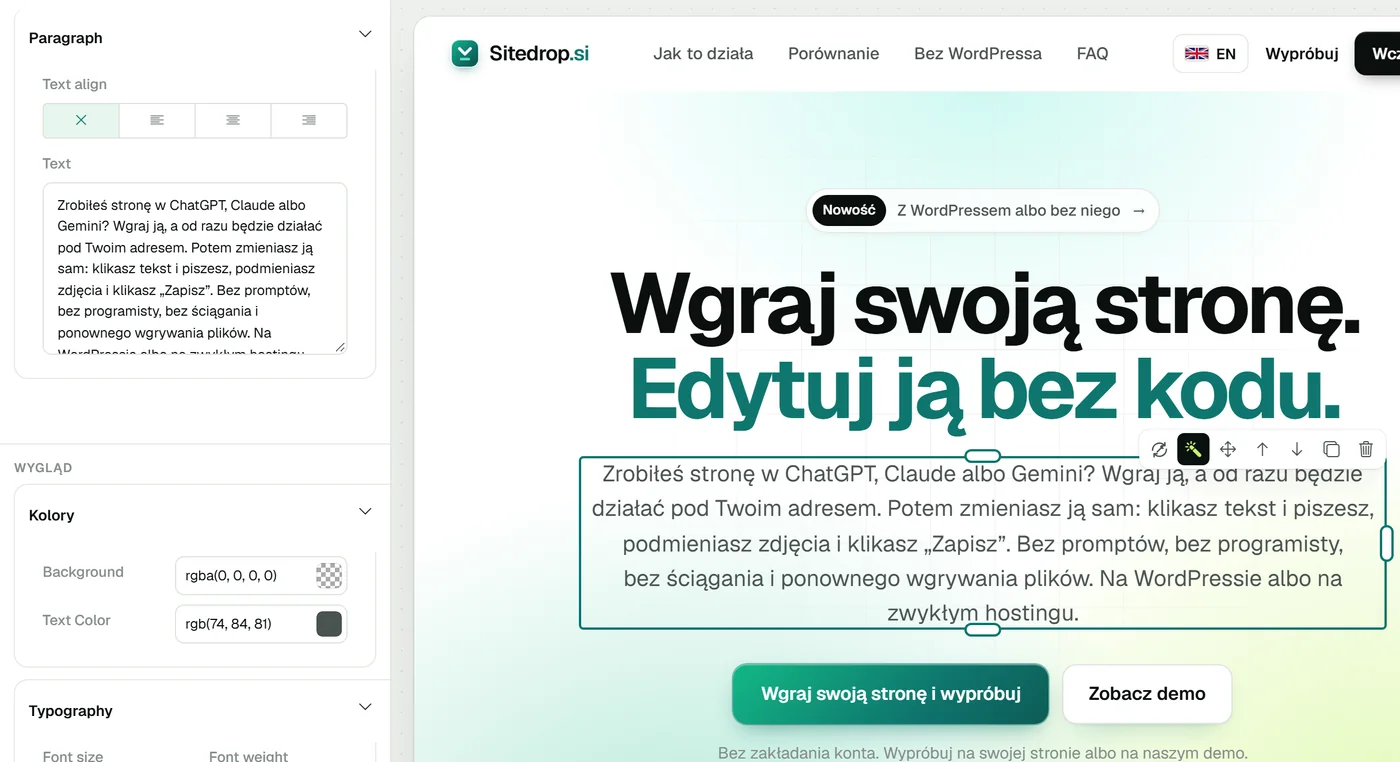
Click a text and type right on the page. Change photos, colours and spacing in the panel next to it, and see every change instantly.
Drag over a few elements with the right button held, or right-click and choose “Change with AI”. Write what to change, e.g. “make it navy blue”, or click a ready option: bigger, different colour, more space.
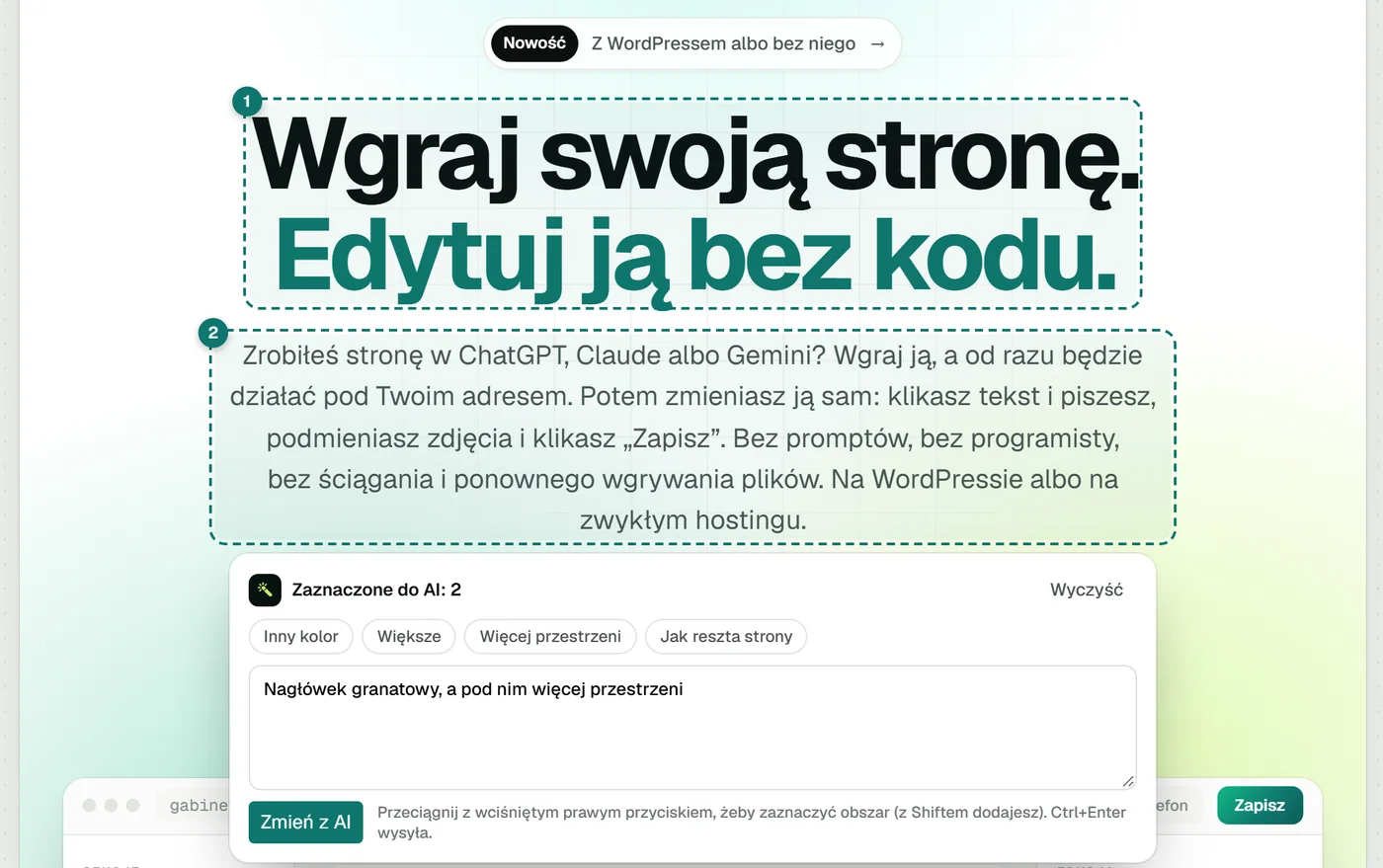
The AI change appears on the page right away. Keep it, undo it or ask for another version, and nothing is saved until you click “Save”. Try the demo
Sitedrop vs Elementor
The visual editing your clients already know. Without extra work and without heavy code.
Speed: same design and hosting, Google PageSpeed, October 2026.
Sitedrop Lite · without WordPress
Got a website from a designer or agency on regular hosting and want to change texts and photos yourself? We add one folder to it. From then on you go to yoursite.com/edit, log in and change whatever you like. No WordPress to install, no moving the website.
edit folder goes onto your hosting, next to your website. Your IT person or we can do it.AI assistant Beta
You or your client don’t need to know where to click. Just write in plain words, and the assistant changes the content or adds a new section built from your design.
Features
The client edits texts, photos and links. The server rejects any change to layout or code.
Every save keeps a copy. Undo anything with one click.
Your form design stays. Spam protection, submissions saved in WordPress.
Change the menu once. It updates on every page.
A blank page, a copy of an existing one or a new HTML file.
Zero builder code. Lazy-loaded images, WebP and a faster page start happen automatically.
Real numbers
The same design built twice: once in Sitedrop, once in Elementor. Same hosting, measured with Google PageSpeed on mobile.
Main content visible after
0.4–2s
instead of 7.7 s in Elementor
Performance score
80–100
instead of 65 in Elementor
HTML size
76KB
instead of 194 KB in Elementor
Live client website
92
PageSpeed on mobile, 17 pages
FAQ
An editor for HTML websites. As a plugin it turns your website into WordPress pages, and as Sitedrop Lite it edits the HTML files directly on the server. Either way, you and your client edit visually.
No. Click what you want to change and change it. Drag sections with the mouse, pick photos from the library. There are no hundreds of settings or widgets to learn.
No. Sitedrop Lite runs on any hosting with PHP 7.4+, without a database. Put the edit/ folder next to your website and log in at /edit.
WordPress, when the client already has it or you need its plugins, like a shop or a blog. Lite, when the website has a few pages and should be fast, simple and free of WordPress updates.
Yes, as long as the result is HTML and CSS files, for example from ChatGPT, Claude, Gemini or Cursor. Upload a file or a ZIP and start editing right away.
No. In client mode only texts, photos and links can be changed, and the server checks every save.
For those you use regular WordPress posts, themes and plugins. Sitedrop handles your designed pages.
We’re welcoming our first users now. Leave your email or ask us to move your website over.
Change your website yourself or with AI. Leave your email and we’ll send you more information about Sitedrop.
Prefer us to do it for you? Book a call and we’ll move your website over.
Ta strona zbiera anonimowe statystyki odwiedzin, żeby działać lepiej. Polityka prywatności